Using Taiga Finance
Edit a holding
Every section of the holding drawer on Investments, what each one shows, and which holdings each one can change.
The holding drawer is where you correct how one position is counted: its asset class, its portfolio, and, on a holding you entered by hand, its ticker and cost basis. Click a row in the Investments ledger to open it. Fields and portfolio buttons save as you change them. The two mix editors save with Save mix. Which sections appear depends on the holding’s source and whose account holds it.
What is the holding drawer?
Section titled “What is the holding drawer?”Taiga Finance classifies each holding and gives it its account’s portfolio. The drawer lets you override both, so a fund the classifier missed still counts in Allocation.
What does each section of the holding drawer show?
Section titled “What does each section of the holding drawer show?”The sections run in this order. A section with nothing to show is left out.
The hero
Section titled “The hero”The account and institution sit above the holding’s name, its value, and its share count and price per share. An Account balance row has no shares. Its line reads Mirrors this account’s synced balance — the provider reports no individual positions.
Ticker symbol
Section titled “Ticker symbol”An editable field on a holding you entered by hand, reading Add ticker while empty. A synced or imported holding takes its ticker from its source.
Also held in
Section titled “Also held in”When more than one account holds the same ticker, lists each with its shares and value.
Cost basis
Section titled “Cost basis”On a holding you entered by hand, Cost basis is an editable field reading Add cost basis while empty. Emptying it sets the basis back to unknown, and typing 0 records $0.
Any other holding with a known basis shows a read-only Cost basis worksheet: each lot with a known cost, then the total. Shares no lot covers add the line N shares with unknown cost — not in the basis or its gain. For a coin, the line names the coin. While Taiga Finance recalculates a basis, the worksheet, or else the Lots label, adds Recalculating cost basis.
Acquisition date
Section titled “Acquisition date”Appears on a hand-entered holding once it has a cost basis, reading Add acquisition date until set. The date lives on the holding’s one lot, so emptying the basis removes it.
The label counts the purchases: Lots · 3 acquisitions. The columns are Acquired, Shares, Value, Gain $ and Term. The term tag reads LT for a lot held more than a year and ST otherwise. A lot with no purchase date reads Unknown under Acquired, with a ? term tag. A lot with no known cost shows “—” under Gain $.
Fundamentals
Section titled “Fundamentals”For a multi-asset fund in Taiga Finance’s fund data, this shows the fund’s split across asset classes, plus Target year and Family where known. Once you set a custom mix, the split reads Not used while you’ve set the asset class.
Asset class
Section titled “Asset class”The section opens with one of four lines:
- Classified automatically. The whole holding counts in one class.
- Split across N classes automatically. A multi-asset fund is spread by its make-up.
- We couldn’t classify this holding, so it’s counted in no allocation bucket.
- You set this mix. Clear it to fall back to automatic classification.
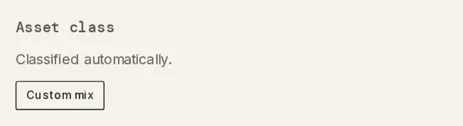
Custom mix opens a percentage field for each of the seven classes, starting with the current class at 100. Save mix turns on once the Total reaches 100%. Until then the editor reads Must equal 100%. Once a mix is set, the button reads Edit mix, and Clear mix returns the holding to automatic classification.
What’s in this account
Section titled “What’s in this account”On an Account balance row, this section reads Splits the balance across the tickers you list — one holding row per ticker. Saving replaces this row. Each row takes a ticker and a percentage, with Add ticker for more, totalling 100%. Save mix closes the drawer, and the ledger shows one row per ticker. On those rows, Clear mix restores the Account balance row.
Portfolio
Section titled “Portfolio”Appears once the household has a portfolio. Its line reads Inherits its portfolio from the account., Pinned to the selected portfolio. or Held out of every portfolio, even if its account is pinned to one. A button per portfolio pins the holding there, marked · current once pinned. Hold out of portfolios shows while the holding inherits. Clear override removes a pin, and Reset to inherit ends a hold-out. Portfolios covers creating them.
The footer
Section titled “The footer”The footer reads Saving… while a change goes through and Couldn’t save with Retry when one fails. Done closes the drawer. On a holding you entered by hand, Remove holding sits at the left and confirms with This holding and its lots will be permanently removed. before Remove or Keep.
Which holdings can I change?
Section titled “Which holdings can I change?”A holding is writable when its account is yours, joint, or has no owner set. Writable holdings get Custom mix and, on an Account balance row, What’s in this account. Those you entered by hand in a manual account also get the ticker, cost basis and date fields and Remove holding. A holding on a partner’s own account gets none of these. A partner’s account shared only as a balance shows the hero alone: Shared as a balance — the positions stay private to its owner.
Troubleshooting
Section titled “Troubleshooting”The worksheet reads “N shares with unknown cost”.
Section titled “The worksheet reads “N shares with unknown cost”.”Some shares have no lot with a known cost, often because a statement starts after the purchases. Import an OFX / QFX statement that covers those purchases on the Investment holdings tab of Import, and they become lots. For a coin, see Crypto.
The footer reads “Couldn’t save”.
Section titled “The footer reads “Couldn’t save”.”The change didn’t reach Taiga Finance and isn’t stored. Click Retry.
The footer has no Remove holding button.
Section titled “The footer has no Remove holding button.”Only a holding you entered by hand can be removed. A synced holding follows what its provider reports. Portfolio can hold a synced or imported one out of every portfolio instead.
The drawer shows no “Custom mix” button.
Section titled “The drawer shows no “Custom mix” button.”Custom mix appears only on a writable holding with a ticker. A holding on a partner’s own account isn’t writable from your login.
Is a custom mix set per holding or per account?
Section titled “Is a custom mix set per holding or per account?”Per holding. The same ticker in another account keeps its own classification. The ticker mix in What’s in this account is the one that belongs to an account.
Does removing a holding delete its account?
Section titled “Does removing a holding delete its account?”No. The holding and its lots go, and the account stays. Its custom mix and portfolio pin go too, unless another holding in that account has the same ticker.
Can I change a holding’s price?
Section titled “Can I change a holding’s price?”No. The drawer has no price field. A hand-entered holding keeps the price it was created with.
Where does a holding’s asset class show up?
Section titled “Where does a holding’s asset class show up?”In Allocation and in its portfolio’s target comparison. It also sets the ledger’s class tags. Target mix covers the comparison.